From September, all pupil absences and term time leave requests must be reported through the MyChildAtSchool (MCAS) app.
To report an absence:
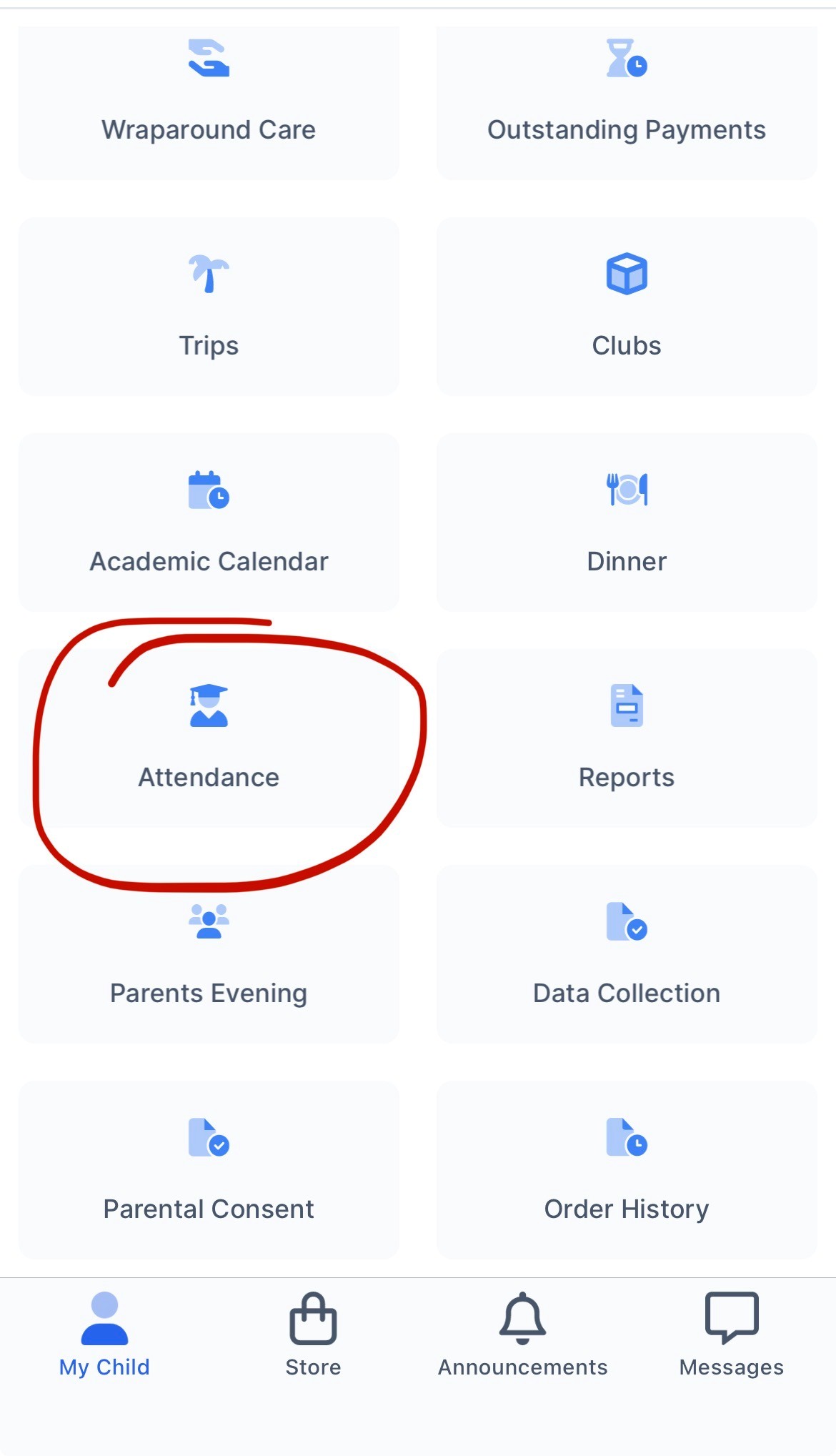
- Log in to MCAS and select Attendance.
- Choose Report an Absence.
- Enter the reason for the absence or term time leave request with avidence attached.
Please report your child’s absence before 8:30am, wherever possible.
Please attach any relevant supporting documentation, such as GP or hospital appointment letters, medical certificates, or other evidence, when submitting your report.